A Minecraft to Discord chat
bridge. Quick and easy.
A Minecraft Fabric server mod for 26.3 that sends Minecraft chat to Discord using Webhooks and a built-in bot.
A Minecraft Fabric server mod for 26.3 that sends Minecraft chat to Discord using Webhooks and a built-in bot.
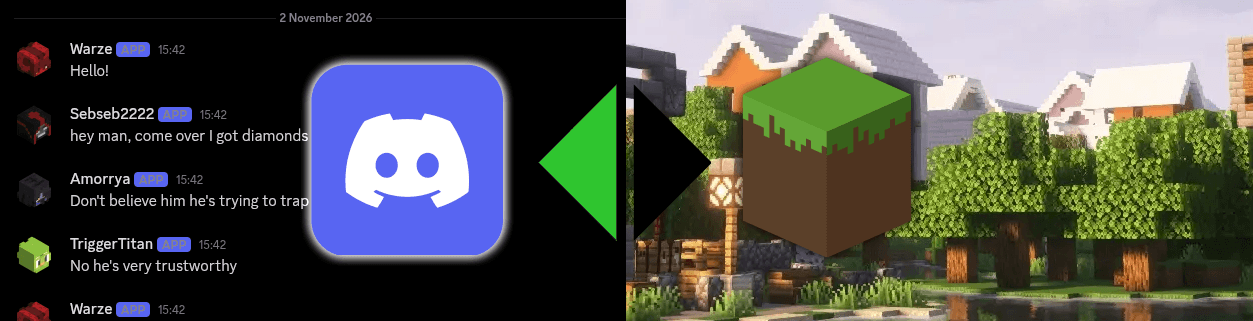
Blurpstone runs a Discord bot inside your Minecraft server process.
Every player chat message is posted to your channel through a Discord webhook - with the player's username and their skin head as the avatar.
Messages from real users in the bridged channel are broadcast to everyone online, prefixed with [Discord] and the Discord username.
The bot creates and manages its own webhook the first time it connects - you don't need to generate one manually or hand-craft URLs.
The mod runs entirely on the server. Clients connect with a vanilla client - no install required for players, no version drift to manage.
Blurpstone targets Minecraft 26.3 and requires Java 25, which is mandatory for the 26.x series.
| Component | Version |
|---|---|
| Minecraft | 26.3 |
| Fabric Loader | 0.19.5 or newer |
| Fabric API | 0.165.0+26.3 or newer |
| Java | 25 (required by Minecraft 26.x) |
The mod is server-side only. Clients can connect with a vanilla client.
Everything happens on the server side. No client-side mods, no extra processes.
Install Fabric Loader (≥ 0.19.5) for Minecraft 26.3 on your server.
Drop Fabric API into your server's mods/ folder.
Grab the latest blurpstone-<version>.jar from the Releases tab and place it in mods/.
A default config file is generated at config/blurpstone.json.
Add your bot token, guild ID, channel ID, and Discord user ID - see Configuration.
The bot connects, creates the Blurpstone webhook in the target channel, and the bridge is live.
You'll need to create a Discord application and invite it to your server.
Head to the Discord Developer Portal and create a new application.
Under Bot, copy the token - this goes into botToken.
Required so the bot can read chat messages in the bridged channel.
Give it Read Messages, Send Messages, and Manage Webhooks permissions in your server.
In your Discord client, so you can right-click servers and channels to copy their IDs.
The config file lives at config/blurpstone.json inside your server directory and is created automatically on first launch.
{
  "botToken": "YOUR_BOT_TOKEN",
  "guildId": "YOUR_SERVER_ID",
  "channelId": "YOUR_CHANNEL_ID",
  "discordOwnerUserId": "YOUR_DISCORD_USER_ID"
}
| Key | Description |
|---|---|
| botToken | The Discord bot token from the Developer Portal. |
| guildId | The ID of the Discord server the bot lives in. |
| channelId | The ID of the text channel to bridge. Both directions use this channel. |
| discordOwnerUserId | Your Discord user ID. |